Bus Traffic Fever Level 2 Walkthrough and Solution
Use the verified move order, board images, and full video to clear Bus Traffic Fever Level 2.
- Objective
- Clear the orange, green, and purple passenger groups
- Key challenge
- Avoid filling bays with purple buses too early
- Guide format
- Video and board steps
- Level status
- Written guide verified
Video Walkthrough
Solution summary
Quick Answer
Open with the two orange buses across the top, use the two green horizontal buses when green reaches the entrance, and bring in the purple vertical buses in the last phase. Keep one bay free while the colors change.
Overall Strategy
The compact vehicle grid makes every bus look available, but the loop controls the useful order. Remove the exposed top row first, then work through the center without opening every purple bus at once.
Purple appears in several separate passenger groups. Sending all purple buses together blocks the orange and green buses needed between those groups.
Starting Board
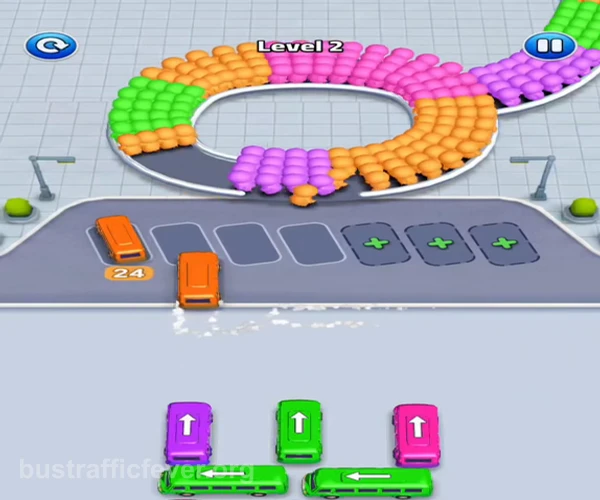
Two orange horizontal buses sit across the top of the vehicle grid. Green buses occupy the middle row, while purple vertical buses stand on the left, center, and right. The passenger loop mixes orange, green, and purple sections.
Step-by-Step Solution
Step 1
Clear the two orange buses across the top
Tap the left orange bus on the top row, then the matching orange bus beside it. They enter the first bays and remove the orange passengers nearest the loading entrance.
Step 2
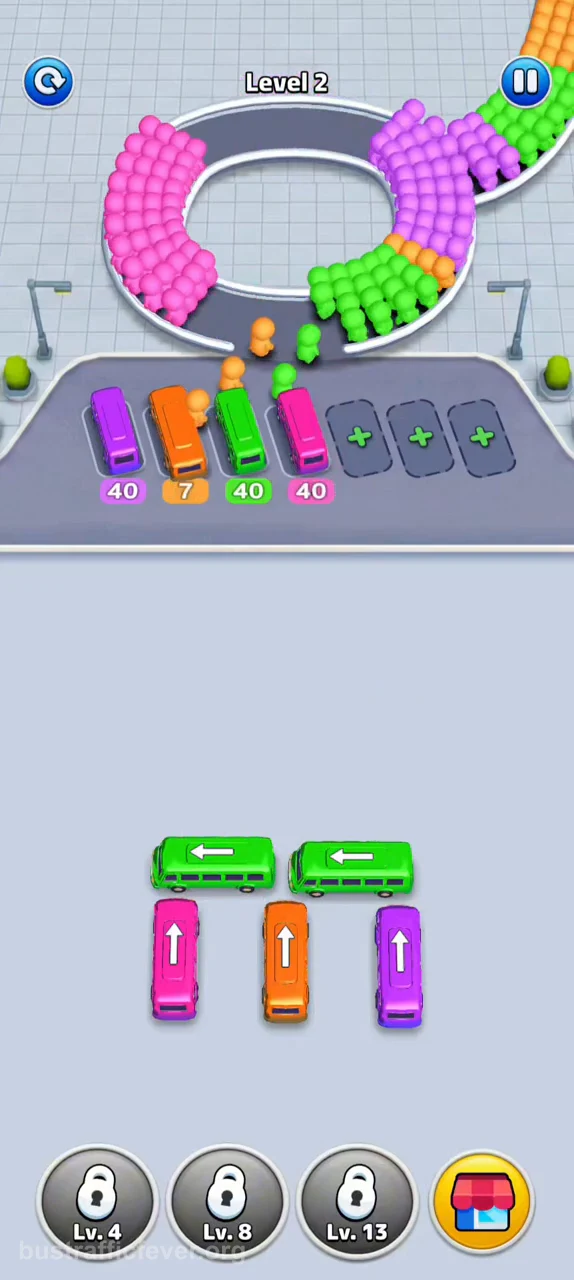
Use the green buses through the center
When green reaches the entrance, tap the two horizontal green buses in the middle of the grid. Do not send every purple vertical bus while the green pair is loading.
Step 3
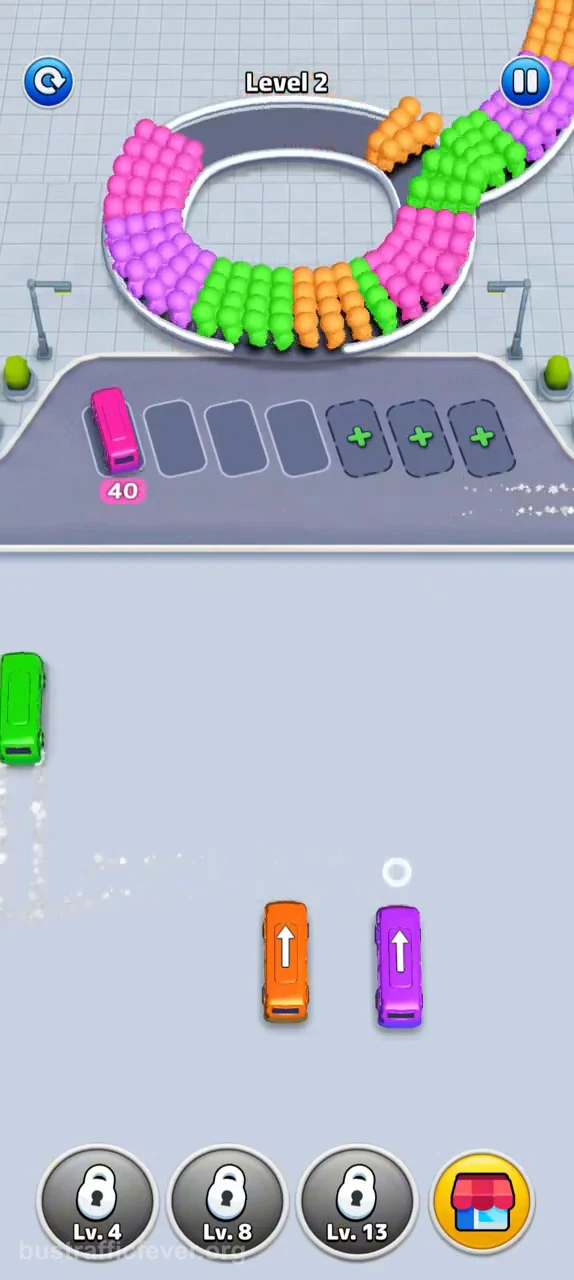
Finish the remaining purple and orange buses
Use the purple buses from the outer columns as each purple group reaches the entrance. Send the center orange bus between those purple groups, then clear the last purple bus.
Before Each Move
- One loading bay remains empty.
- The entrance color matches the bus.
- The center orange bus stays accessible.
- Purple buses are sent in separate groups.
Where Players Get Stuck
The main mistake is sending all visible purple buses together. The loop places orange and green between purple groups, so a full row of waiting purple buses removes the space needed for those colors.
Bus Traffic Fever Level 2 FAQ
What color starts Bus Traffic Fever Level 2?
Orange starts the reliable route; use the two orange buses on the top row.
When should I move the green buses?
Move the two center green buses when the green passenger group reaches the entrance.
Why do the purple buses block Level 2?
Purple passengers are split into separate groups, so sending every purple bus at once occupies too many bays.
Do I need extra bays for Level 2?
No. Keep one default bay empty during each color change.